A slow website doesn’t just frustrate visitors — it quietly drains your revenue, your search rankings, and your ad spend. In 2026, page speed isn’t a “nice to have” anymore; it’s one of the clearest signals Google uses to decide who ranks, and one of the fastest ways to lose a customer before they even see your offer. If you’ve ever wondered why a competitor with a “worse” website outranks you, speed is often the hidden reason.
This guide breaks down what Core Web Vitals actually measure, why they matter for your business, and the practical steps our team at Forge Metrix uses to get client sites loading fast, ranking higher, and converting better.
What Are Core Web Vitals, Really?
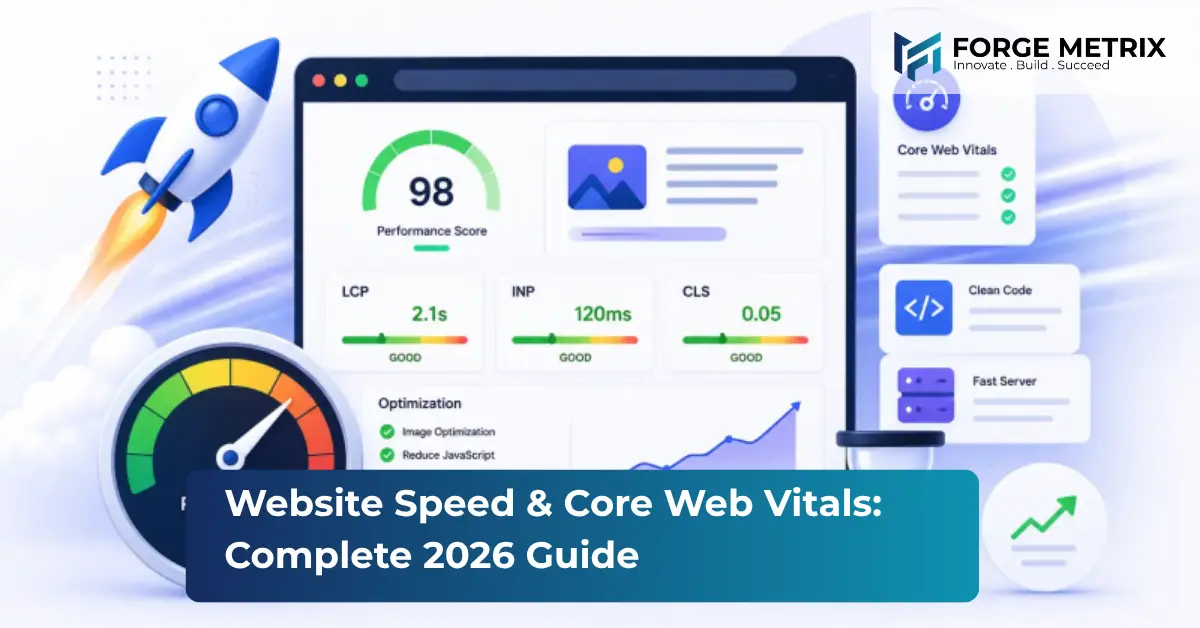
Core Web Vitals are a set of metrics Google uses to measure real-world user experience on a page. They boil down to three questions.
1. How Fast Does the Page Load? (LCP)
Largest Contentful Paint (LCP) measures the time it takes for the biggest visible element — usually a hero image or headline — to render. Google wants this under 2.5 seconds.
2. How Responsive Is the Page? (INP)
Interaction to Next Paint (INP) tracks the delay between a user’s click, tap, or keypress and the page actually responding. The target is under 200 milliseconds.
3. How Stable Is the Layout? (CLS)
Cumulative Layout Shift (CLS) catches those annoying moments when a button jumps just as you’re about to tap it because an image or ad loaded late. Google wants this under 0.1.
Score well on all three, and Google treats your site as a good experience — which factors into rankings. Score poorly, and you’re fighting an uphill battle no matter how good your content is.
Why Speed Affects More Than SEO
It’s tempting to think of Core Web Vitals as purely a ranking checkbox, but the business impact runs much deeper.
Bounce Rate
Studies on page abandonment consistently show that as load time increases past 3 seconds, bounce rates climb sharply — visitors leave before your value proposition even loads.
Conversion Rate
E-commerce and lead-gen sites routinely see measurable conversion lifts after shaving even a second off load time, because friction at the top of the funnel compounds all the way down.
Ad Efficiency
If you’re running PPC campaigns, a slow landing page inflates your cost-per-click through a lower Quality Score and wastes ad spend on visitors who bounce before converting.
Mobile Experience
Most traffic today is mobile, often on inconsistent networks. A site that’s “fast enough” on your office Wi-Fi can feel broken on a phone with a weak signal.
The 8 Most Common Causes of a Slow Website
- Unoptimized images — full-resolution photos served at display size instead of compressed, properly sized, next-gen formats (WebP/AVIF).
- Too many render-blocking scripts — plugins, trackers, and widgets that load before the page can paint anything.
- No caching strategy — every visitor forces the server to rebuild the page from scratch instead of serving a cached version.
- Bloated themes and page builders — heavy WordPress themes or drag-and-drop builders that load far more CSS/JS than the page actually uses.
- Unoptimized fonts — multiple font weights and families loaded from external servers, delaying text rendering.
- Poor hosting — shared hosting environments that can’t handle traffic spikes or serve content quickly to distant visitors.
- Third-party embeds — chat widgets, video embeds, and social feeds that each add their own scripts and requests.
- No content delivery network (CDN) — serving every visitor from a single server location instead of distributing content closer to them geographically.
How We Approach Website Speed at Forge Metrix
When we audit a site for performance, we work through it in layers rather than chasing one metric in isolation.
Diagnose First
We run real-world and lab tests (field data plus simulated audits) to see exactly which metric is failing and why — a slow LCP has a completely different fix than a bad CLS score.
Optimize the Media Pipeline
Images and video are almost always the biggest win. We implement responsive image sizing, modern formats, and lazy loading so the browser only downloads what’s actually visible.
Trim the Technical Fat
We audit every script and plugin running on the site, removing anything not earning its keep, deferring non-critical JavaScript, and minifying CSS/JS.
Fix Layout Stability
We reserve space for images, ads, and embeds ahead of time so nothing jumps around as the page finishes loading.
Upgrade the Infrastructure
For sites on underpowered hosting, we move clients to performance-focused hosting and implement a CDN and proper caching rules.
Monitor, Don’t Guess
Speed isn’t a one-time fix — a new plugin or a marketing team adding a tracking pixel can undo months of work. We set up ongoing monitoring so regressions get caught immediately.
A Quick Self-Check for Your Own Site
Before you invest in a full optimization project, run your homepage and your highest-traffic landing page through Google’s PageSpeed Insights or a similar tool and look for:
- Is your LCP under 2.5 seconds on mobile?
- Does your INP stay under 200ms when you actually click around the page?
- Do any elements visibly shift as the page loads?
If you’re failing one or more of these on your most important pages, it’s worth a deeper audit — especially if those pages are the ones driving leads or sales.
Frequently Asked Questions
How much does a slow website actually cost my business?
It varies by industry, but the pattern is consistent: higher bounce rates, lower conversion rates, and reduced ad performance, all of which compound over time. For a business relying on organic search or paid traffic, speed issues can quietly cap growth well below what your marketing spend should be delivering.
Can I improve Core Web Vitals without rebuilding my whole website?
Often, yes. Image optimization, script cleanup, caching, and hosting upgrades can produce major improvements without a full redesign. A rebuild becomes worthwhile when the underlying theme or platform is fundamentally too heavy to fix.
How long does a performance optimization project take?
A focused speed audit and fix typically takes 1–3 weeks depending on site size and the scope of issues found, with ongoing monitoring afterward to prevent regressions.
Does website speed matter for mobile apps too?
Yes — the same principles apply. Slow load times and unresponsive interactions drive uninstalls and poor app store ratings just as they drive bounce rates on the web.
Final Thoughts
Core Web Vitals aren’t an abstract Google metric — they’re a proxy for how your actual customers experience your business online. A fast, stable, responsive website keeps visitors engaged long enough to see what you offer, which is the foundation everything else — SEO, ads, conversions — is built on.
At Forge Metrix, performance optimization is built into every website we develop, and we offer dedicated speed audits for existing sites that are losing visitors to load times. If your site feels slow, or you’re not sure how it scores, get in touch for a free consultation.